Your tasks in 3D.
Built for ADHD brains.
Vos tâches en 3D.
Conçu pour les cerveaux ADHD.

FocusFlow turns your to-do list into a living 3D space. What matters stays in focus, the rest fades into the background. 100% local, private, and free. FocusFlow transforme votre liste de tâches en un espace 3D vivant. L'essentiel reste net, le reste s'estompe à l'arrière-plan. 100% local, privé et gratuit.

Download for macOS Télécharger pour macOS

v0.1.0 · 4.8 MB · macOS 11+ · Apple Silicon (M1 or later) Apple Silicon (M1 ou ultérieur)
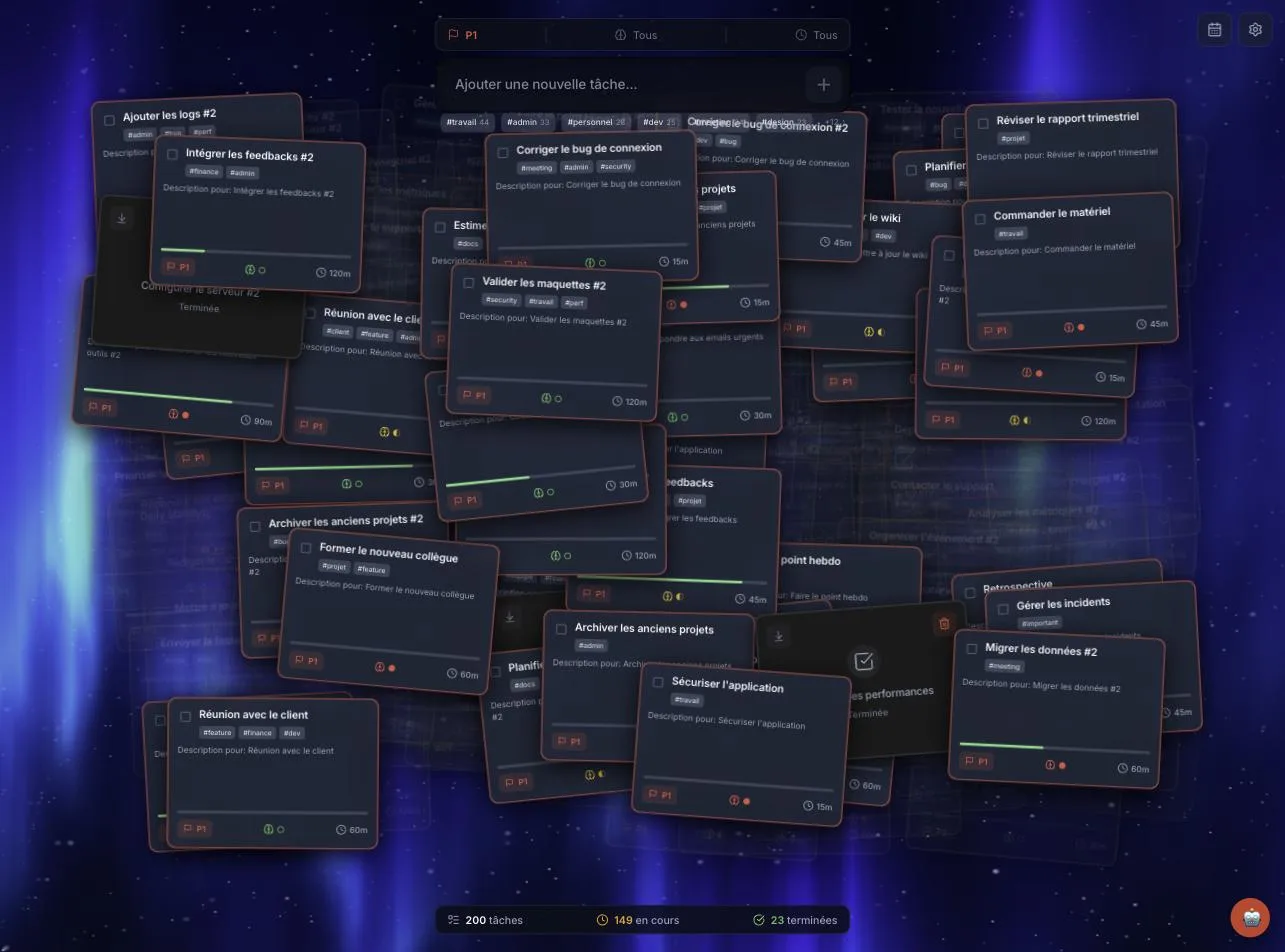
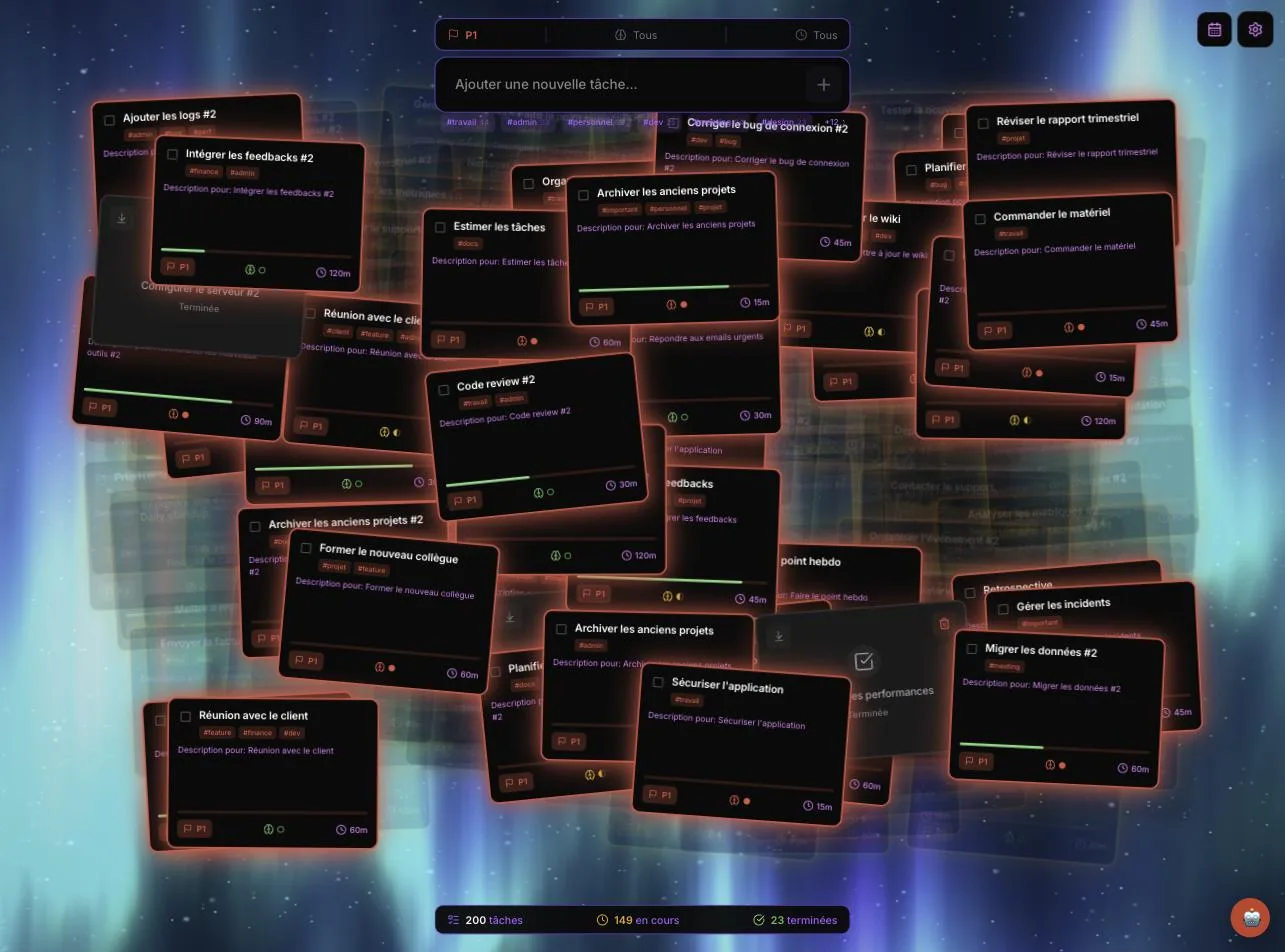
FocusFlow main view: floating 3D task cards over an animated aurora background

Designed for how your mind works Pensé pour votre façon de penser

A spatial 3D desk Un bureau spatial 3D

Tasks float as cards in a 3D space with real depth. Urgent items come forward and stay sharp; distant ones blur away — just like your attention should. Les tâches flottent en cartes dans un espace 3D avec une vraie profondeur. L'urgent vient au premier plan et reste net ; le lointain devient flou — comme votre attention.

Built for ADHD Conçu pour l'ADHD

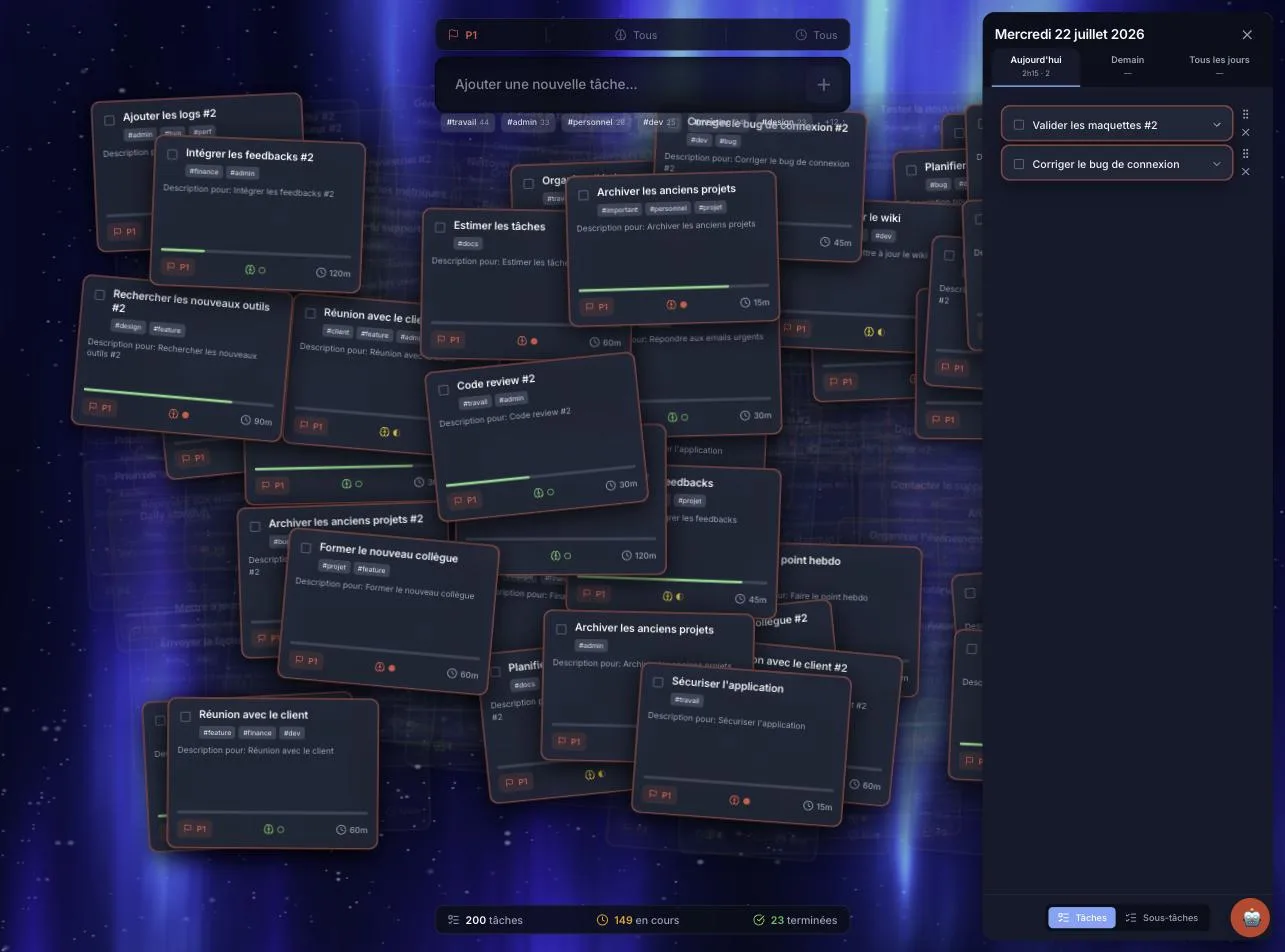
Mental-load tracking, a day planner, and filters by tag or priority reduce overwhelm instead of adding to it. One glance tells you what to do next. Suivi de la charge mentale, planificateur de journée et filtres par tag ou priorité réduisent la surcharge au lieu de l'aggraver. Un coup d'œil suffit pour savoir quoi faire.

AI classification, your way Classification IA, à votre façon

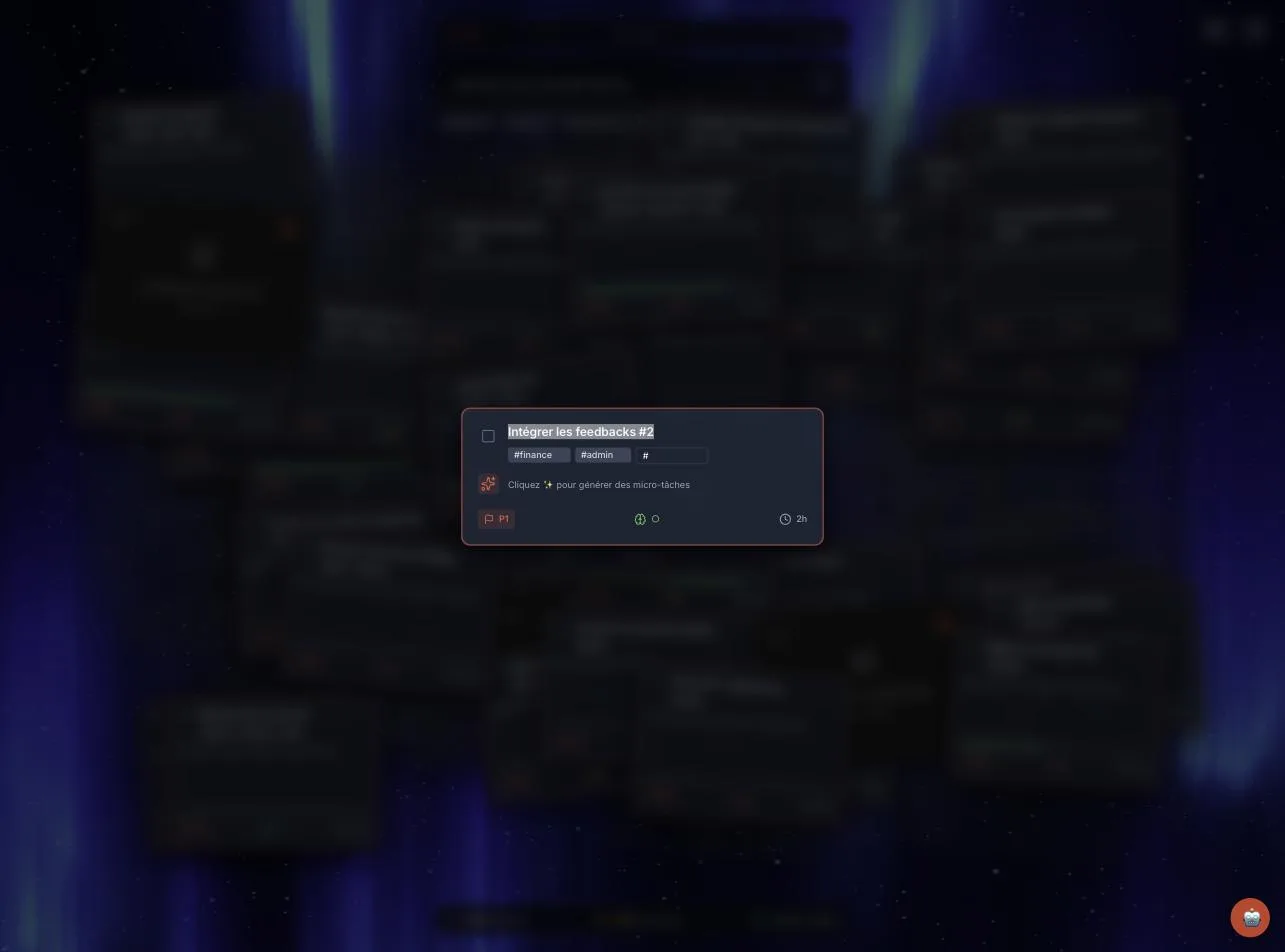
Type a task in plain language — AI assigns tags, priority and mental load. Choose a local model (WebLLM, Ollama), the Claude API, or turn AI off entirely. Écrivez une tâche en langage naturel — l'IA attribue tags, priorité et charge mentale. Choisissez un modèle local (WebLLM, Ollama), l'API Claude, ou désactivez l'IA.

100% local and private 100% local et privé

Everything lives on your Mac. No account, no server, no tracking. Works fully offline — your tasks never leave your machine. Tout reste sur votre Mac. Pas de compte, pas de serveur, pas de tracking. Fonctionne entièrement hors ligne — vos tâches ne quittent jamais votre machine.

Three themes, light and dark Trois thèmes, clair et sombre

Glassmorphism, Flat or Neon — each in light and dark mode. Make the interface as calm or as vivid as you need today. Glassmorphism, Flat ou Neon — chacun en mode clair et sombre. Une interface aussi calme ou vive que votre journée l'exige.

Living shader backgrounds Fonds shaders vivants

Five real-time GPU backgrounds — Aurora, Ocean, Galaxy, Psychedelic and Blobs — turn your task space into a place you actually want to be. Cinq fonds GPU temps réel — Aurora, Ocean, Galaxy, Psychedelic et Blobs — font de votre espace de tâches un endroit où l'on a envie de rester.

See it in action En action

FocusFlow in Neon theme
Neon theme, dark mode Thème Neon, mode sombre
FocusFlow day planner panel
Plan your day without the overwhelm Planifiez votre journée sans surcharge
FocusFlow task detail with AI-assigned tags and priority
AI-assigned tags, priority and mental load Tags, priorité et charge mentale attribués par l'IA

Get FocusFlow Obtenir FocusFlow

Free, no account required. Download the app and start in seconds. Gratuit, sans compte. Téléchargez l'app et démarrez en quelques secondes.

Download FocusFlow 0.1.0 Télécharger FocusFlow 0.1.0

.dmg · 4.8 MB · macOS 11+ · Apple Silicon (M1 or later). Intel build available on request. Apple Silicon (M1 ou ultérieur). Version Intel sur demande.

First launch on macOS Premier lancement sur macOS

FocusFlow is not yet notarized by Apple, so macOS will block the usual double-click the first time. To open it: FocusFlow n'est pas encore notarisé par Apple, donc macOS bloquera le double-clic habituel la première fois. Pour l'ouvrir :

  1. Open the downloaded .dmg and drag FocusFlow to Applications. Ouvrez le .dmg téléchargé et glissez FocusFlow dans Applications.
  2. In Applications, right-click FocusFlow, choose Open, then Open again. Dans Applications, clic droit sur FocusFlow, choisissez Ouvrir, puis Ouvrir à nouveau.

Alternative — run this once in Terminal: Alternative — exécutez une fois dans le Terminal :

xattr -cr /Applications/FocusFlow.app